

One engine for every Bungie Halo
A native game for Windows, macOS and Linux, on the Reclaimer Engine: Halo 3's engine, recompiled to Rust. Play Halo 3 and Halo 3: ODST, and now Halo: Reach, Halo: Combat Evolved and Halo 2, from your own copy of Halo: The Master Chief Collection, with games for up to 128 players, co-op for up to 16, four-player split screen that plays online, dedicated servers, a theater that records every game, Forge with 9,999 objects, Megalo scripting and a full editing kit.
New in 0.10The biggest release yet. Five Bungie Halos in one game, on a recompiled engine that runs natively on Windows, Mac and Linux, with completely overhauled networking, far higher limits, all-new menus, the Reclaimer Kit and a much bigger Megalo.See what's new →
Work in progressStill in development. Expect bugs, especially in the first native builds. The source stays private for now; the goal is to eventually release it as open source.Follow along on Discord →
Five Bungie Halos in one game
Project Reclaimer isn't a launcher any more. It's a game of its own on the Reclaimer Engine: Halo 3's engine, recompiled to Rust and rewritten piece by piece, with one campaign, one multiplayer, one renderer, one Forge and one theater for every game it plays. Halo 3 and ODST play natively, and 0.10 brings Halo: Reach, Halo: Combat Evolved and Halo 2 into the same game, in an early form.
| Game | On the Reclaimer Engine |
|---|---|
| Halo 3 | Native. Campaign, Forge, theater, co-op for 16, multiplayer for 128. |
| Halo 3: ODST | Native. Campaign and Firefight, co-op for 16, on the same engine. |
| Halo: Reach | New, early. Multiplayer on all its maps with its own game types and armor abilities, its campaign and Firefight with co-op for 16, and Forge. Some of its missions' scripts are still missing. |
| Halo: Combat Evolved | New, early. Its campaign, solo or in co-op, and its multiplayer maps and game types, by its own rules and with its classic look. |
| Halo 2 | New, early. Its multiplayer maps and game types by its own rules, with its classic look and sound. Its campaign is there in an early form. |
Each game is optional: it shows once it's installed in your MCC, and everyone in a game needs the games it uses. The games.
Recompiled
The engine now runs as native code on your processor, translated on your own PC from your own copy of the game. No download holds any game code, and the first start takes under a minute with nothing to install.
Native on Windows, Mac and Linux
The same game on all three, on x86-64 and ARM64, drawing with Direct3D 11, Metal or Vulkan. No Wine, Proton or CrossOver. Dedicated servers run natively too.
Completely overhauled networking
A new encrypted transport, enhanced networking built for 128 players and many vehicles, joining a mission in progress, host migration and hole punching.
Engine limits, raised
16,320 objects where Halo 3 has 2,048, 16,384 over the network, four times the effects, 1,024 lights, and 9,999 objects on a Forge map where Halo 3 has 640.
The Reclaimer Kit
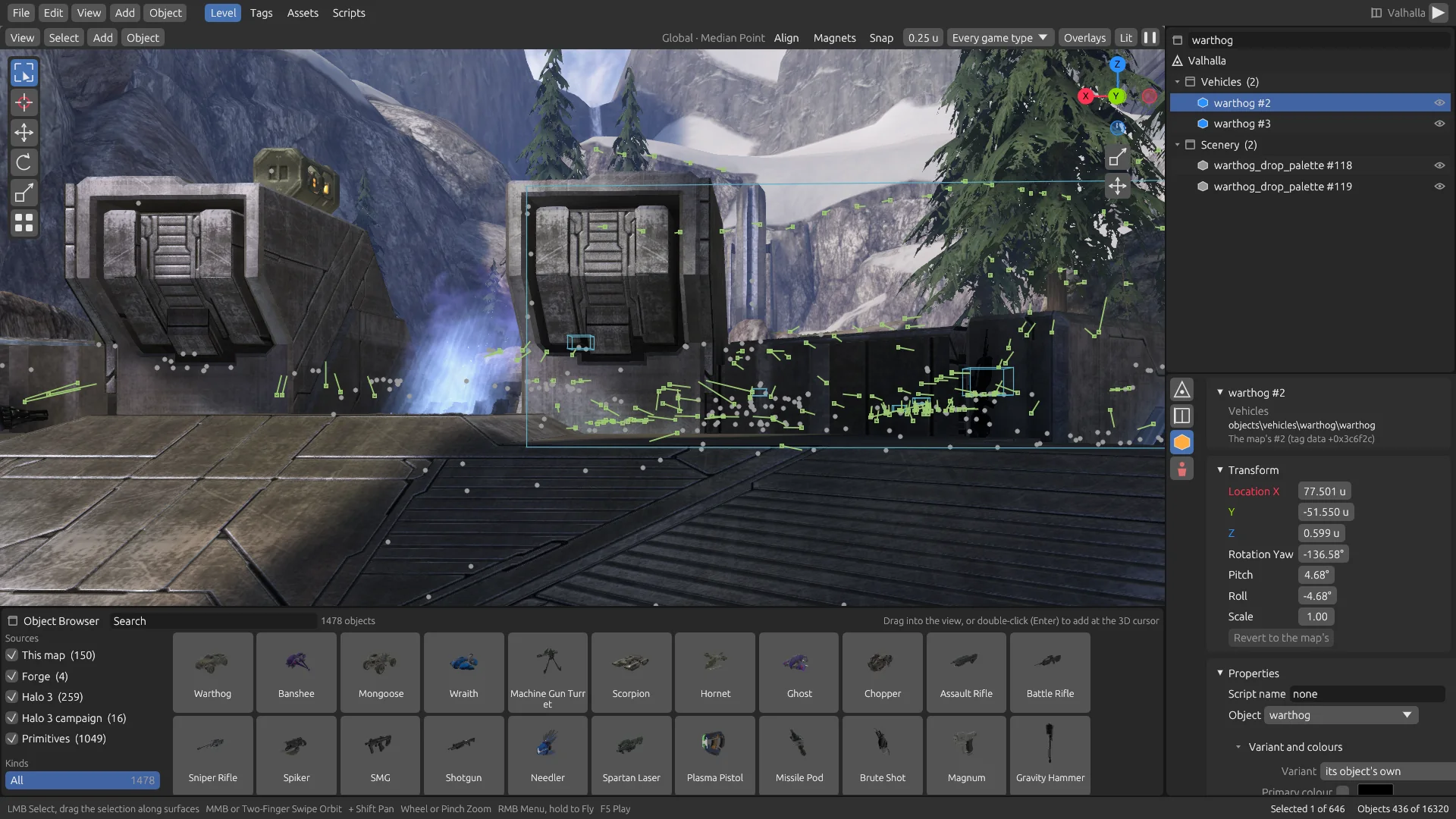
A full editing kit for modders, as an app of its own: a level editor over the running map, every tag, your own art and sounds, compiled scripts and maps you can host.
A much bigger Megalo
A mode is one text file with nothing to compile. Scripts hear damage and deaths, name any object, and control waypoints, sounds, looks, revives, squads and a deployment map.
128 players in one game
Halo 3 was built for 16 players. Project Reclaimer takes its multiplayer to 128: two teams of 64, or a free-for-all for all 128, in the game you host or on a dedicated server. Every one of them is a real player in the same game.
-
64 v 64, or everyone for themselves
Team games with two full teams of 64, and free-for-alls where all 128 players fight each other, Forge and scripted modes included. Slayer has had the most play at that size; objective game types have had little past 16 so far.
-
Host 128, or run a server for 127
Raise Max players in Host Settings to 128 for a game you host, or set
max_playersup to 127 on a dedicated server, which takes the 128th place itself. Players join from the server browser as usual, split-screen groups included. -
Every screen made for a full game
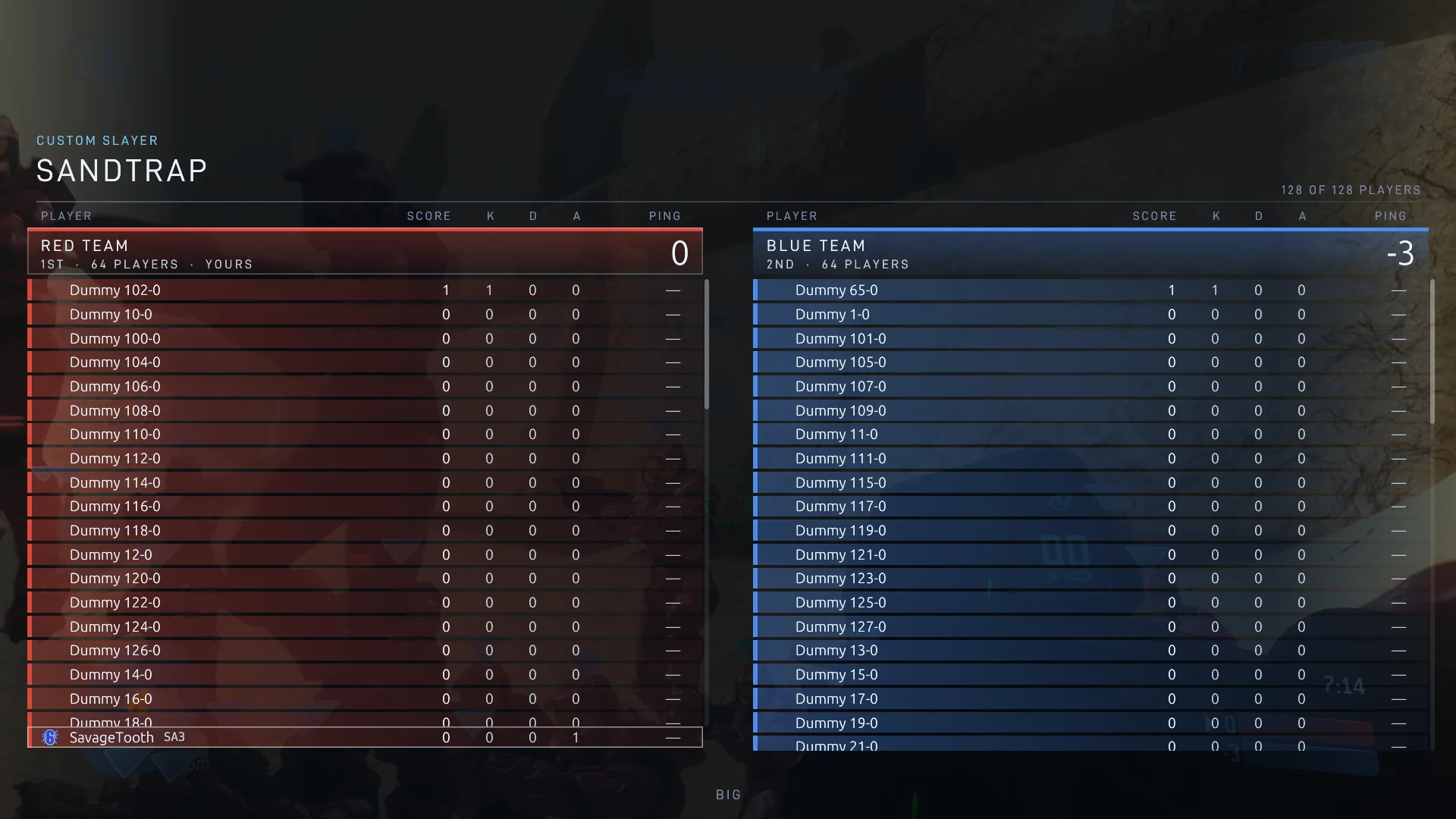
A crowded scoreboard uses up to two full-size columns, with each team's rows scrolling beneath a heading that stays visible, and the lobby, the in-game roster and the carnage report scroll, so every player has their row. Chat, compressed voice, votes, moderation, ranks and stats take all 128. With room for 16,320 objects and four times the effects, a crowded fight keeps its explosions, light volumes and what the map spawns.
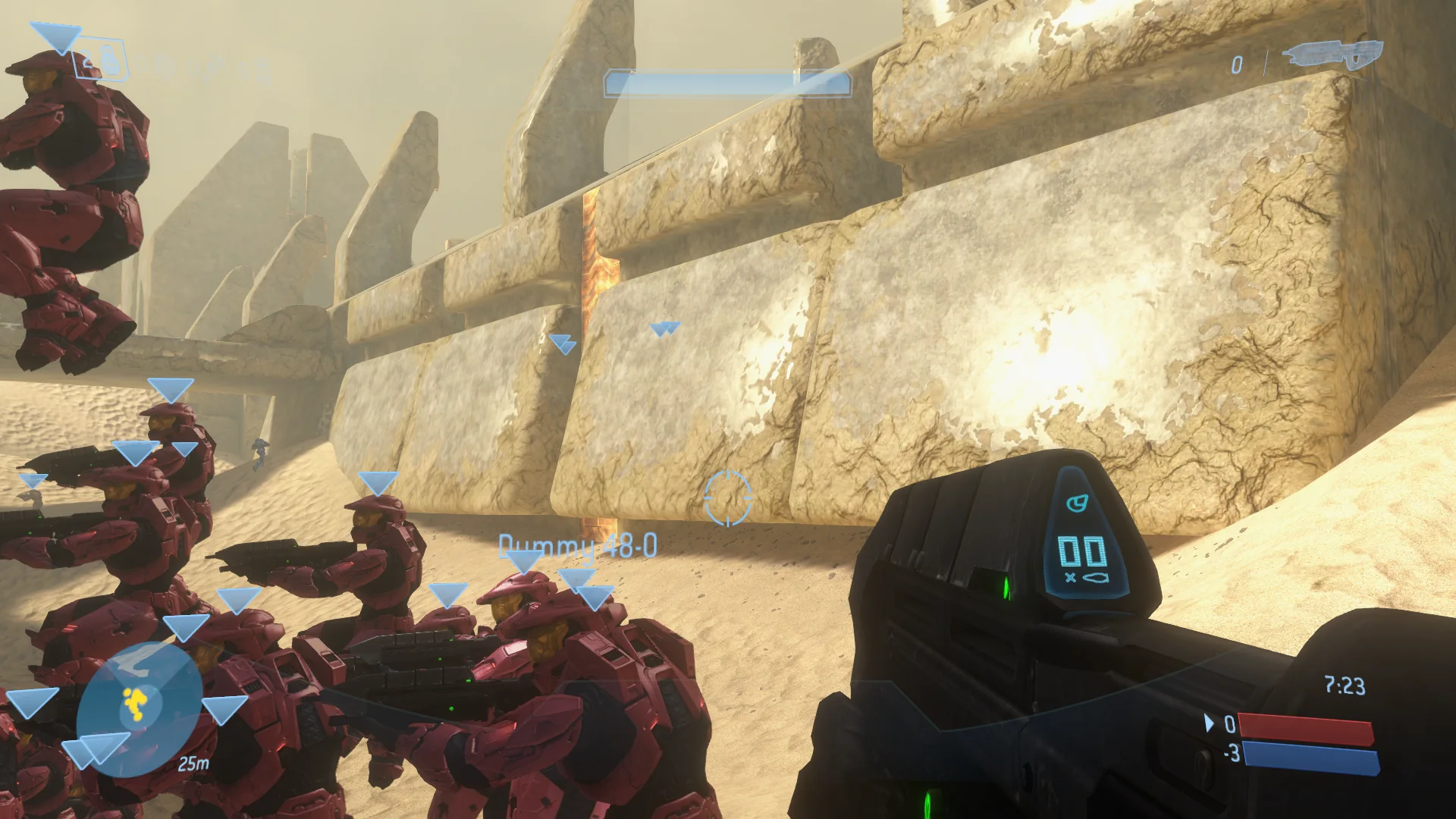
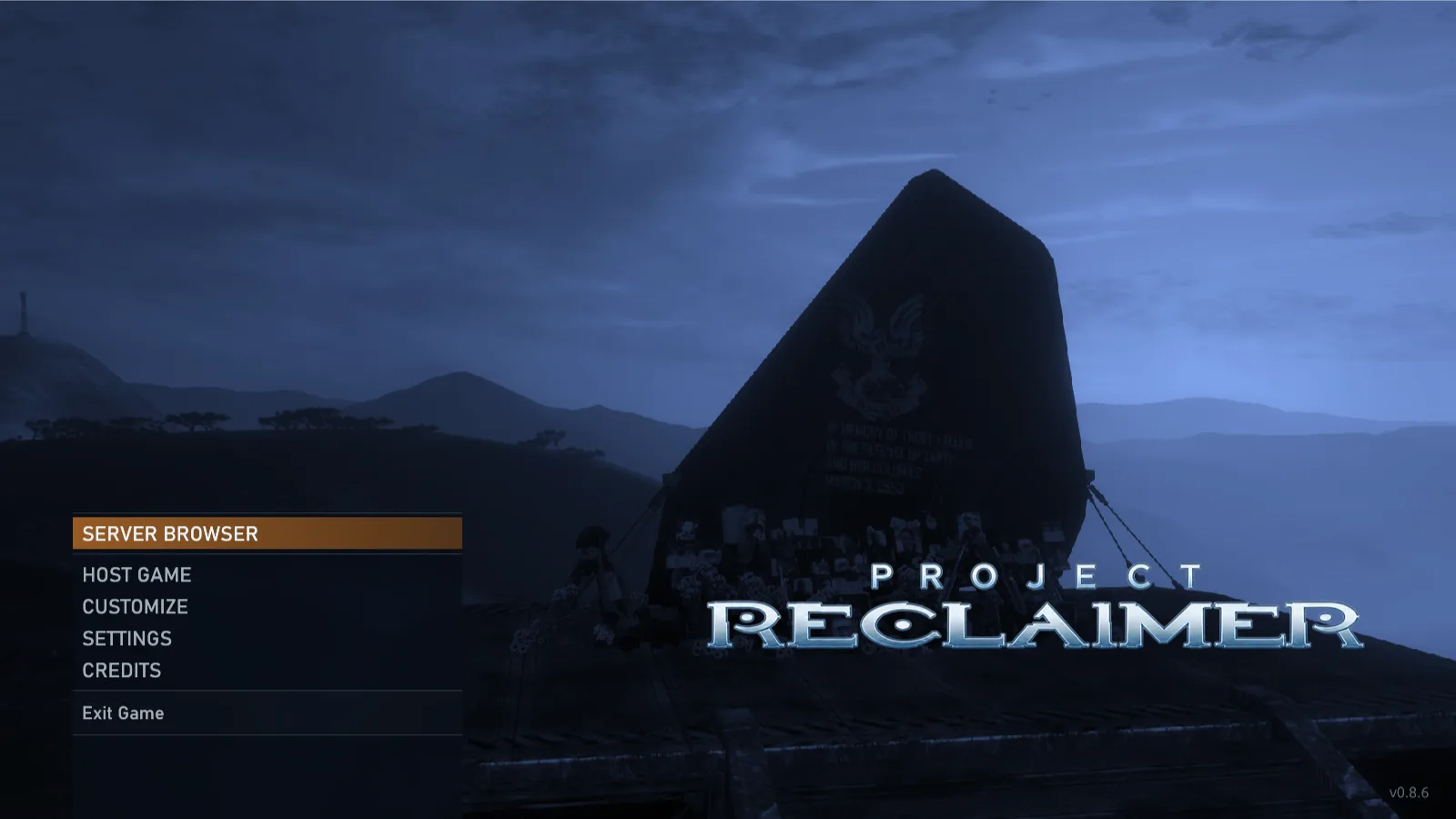
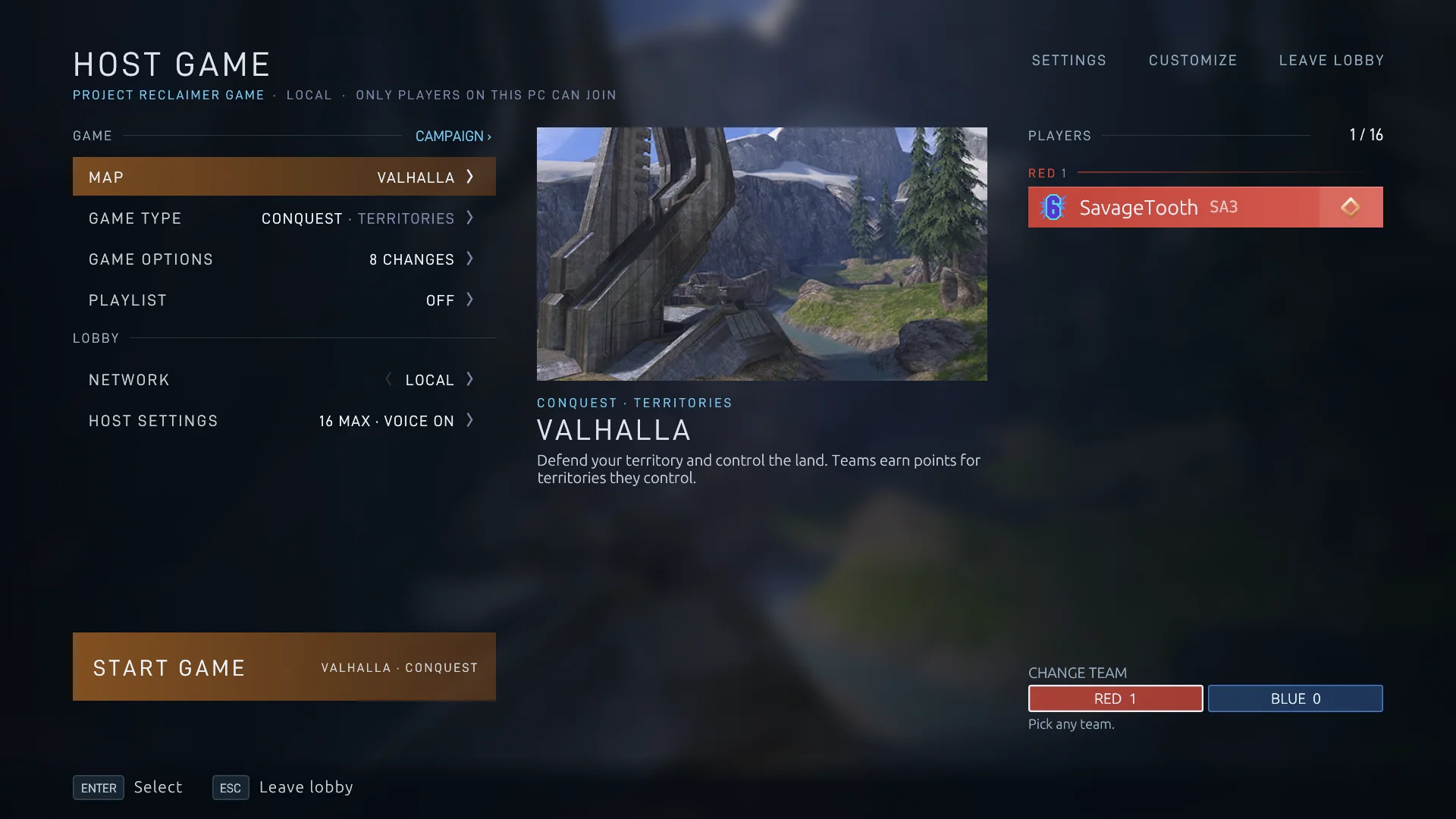
The game, from the main menu to the match
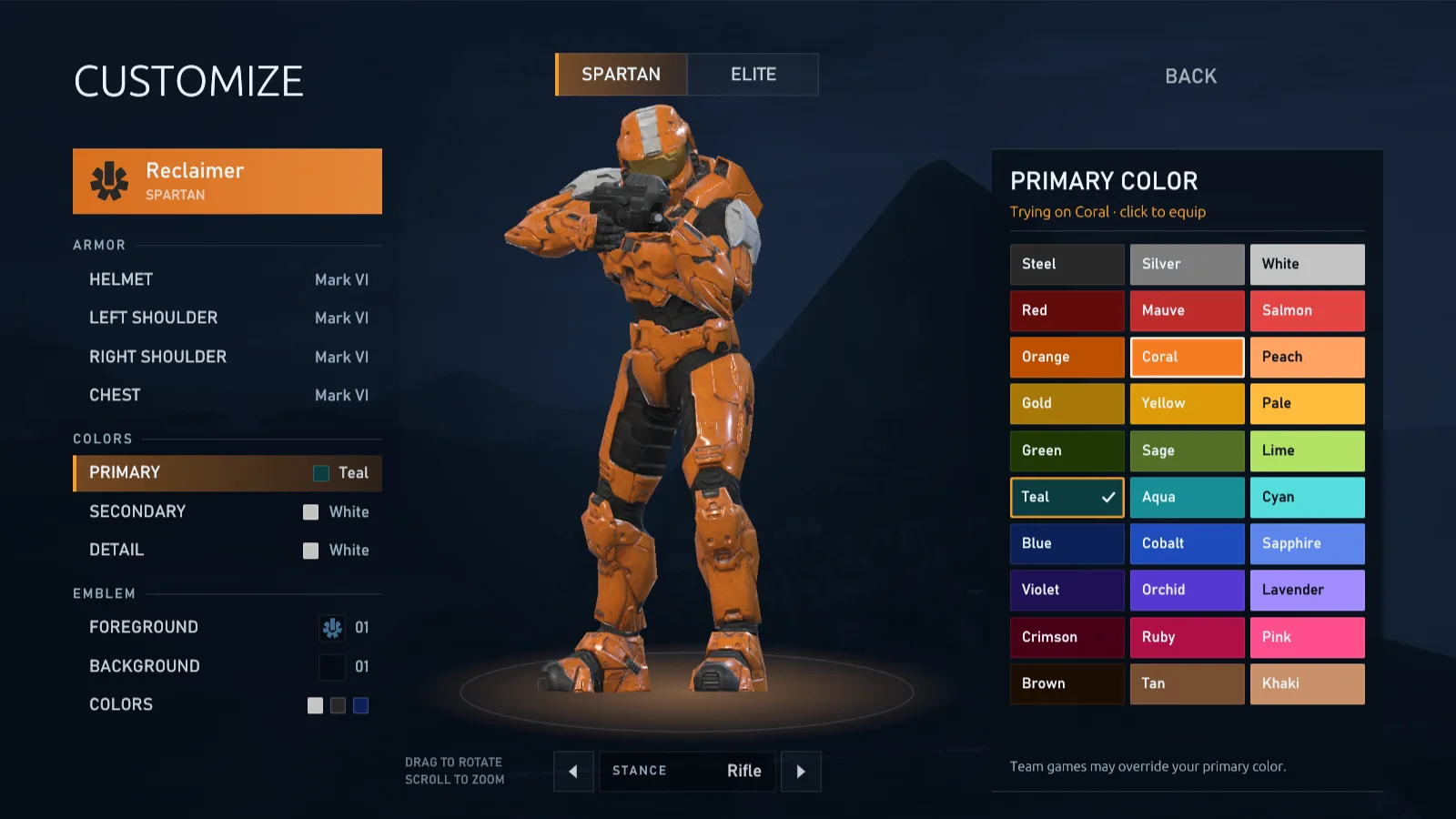
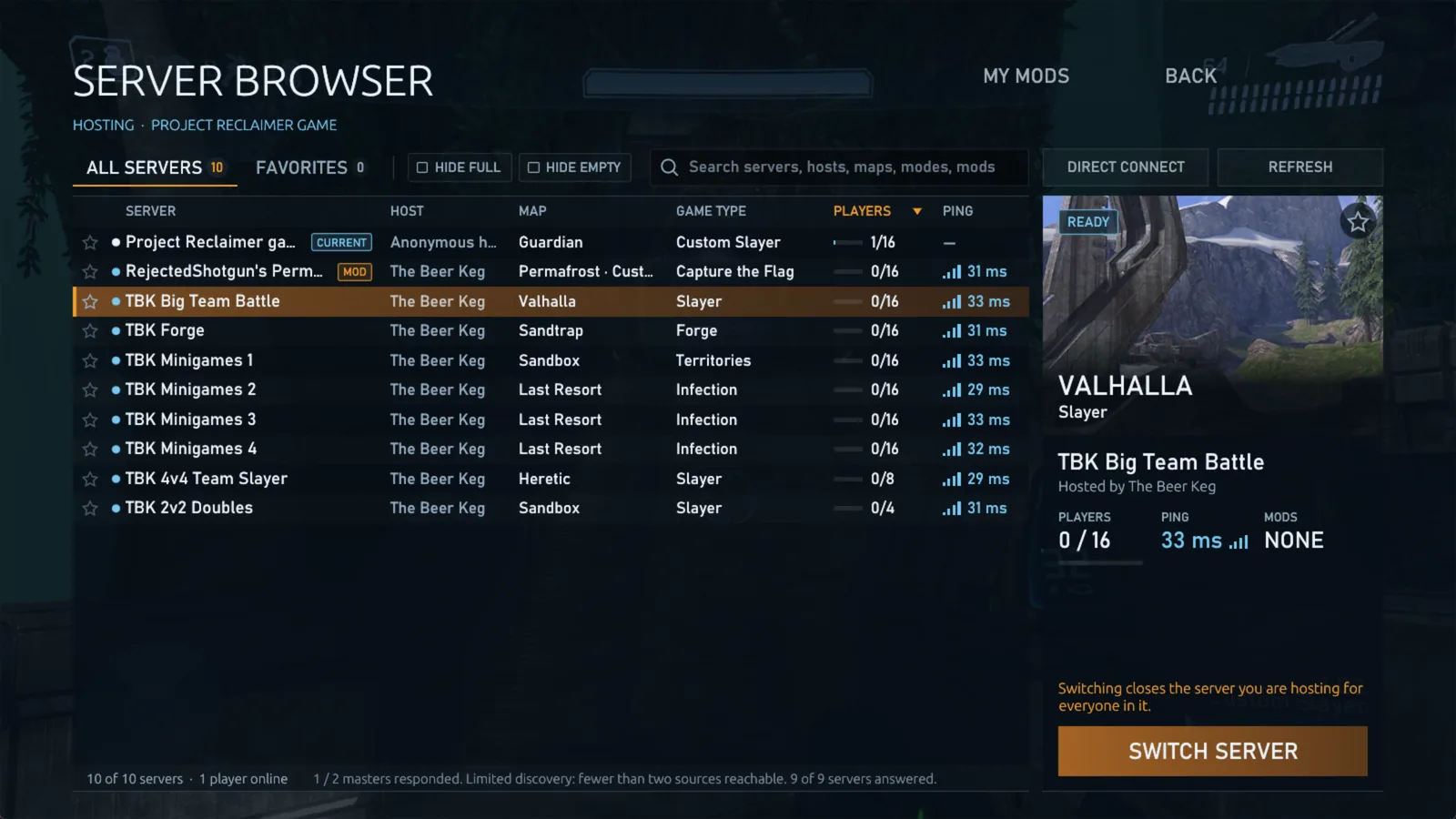
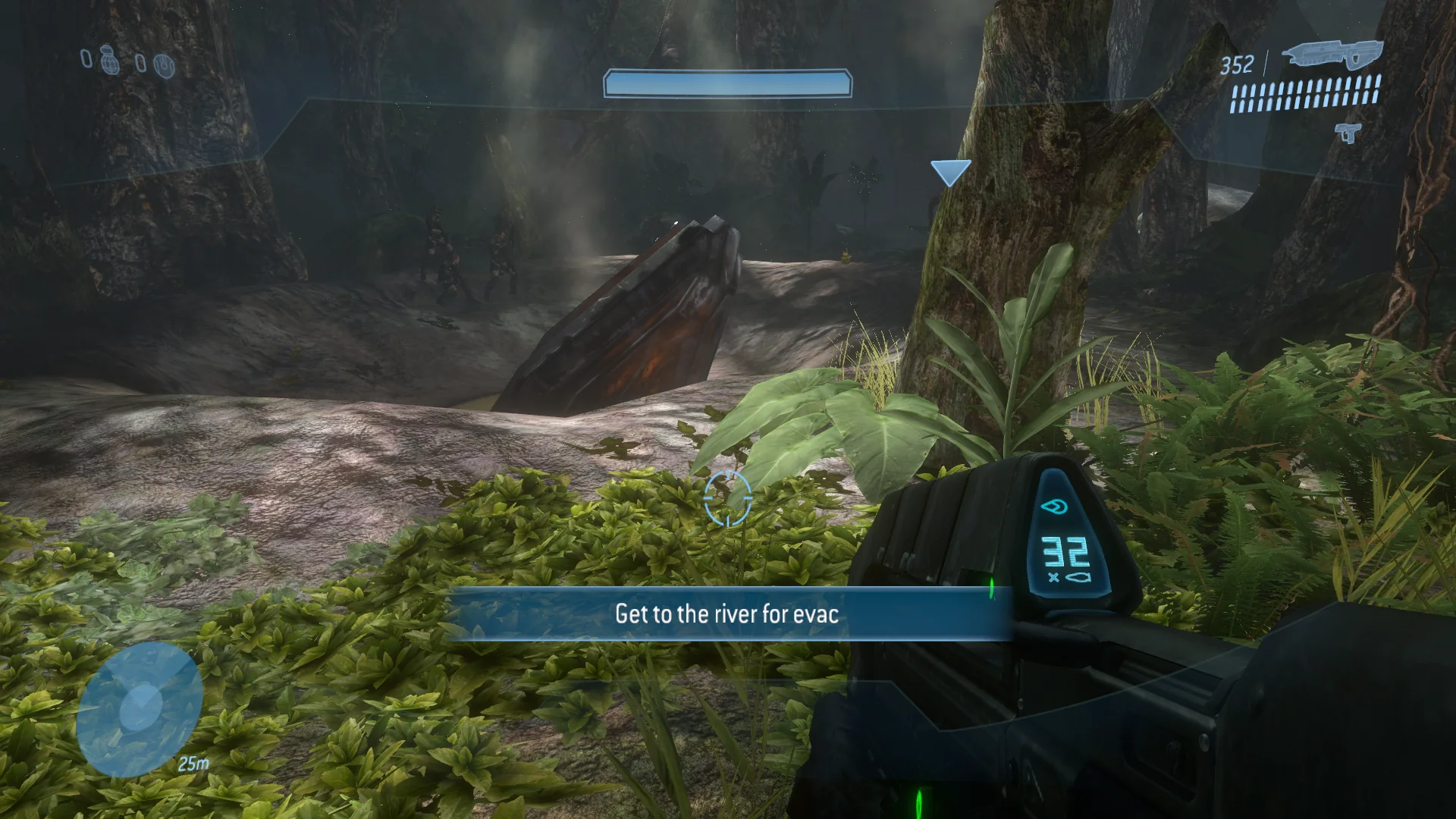
Every screen here is captured from Project Reclaimer 0.10 running natively on macOS. Click one to see it full size.
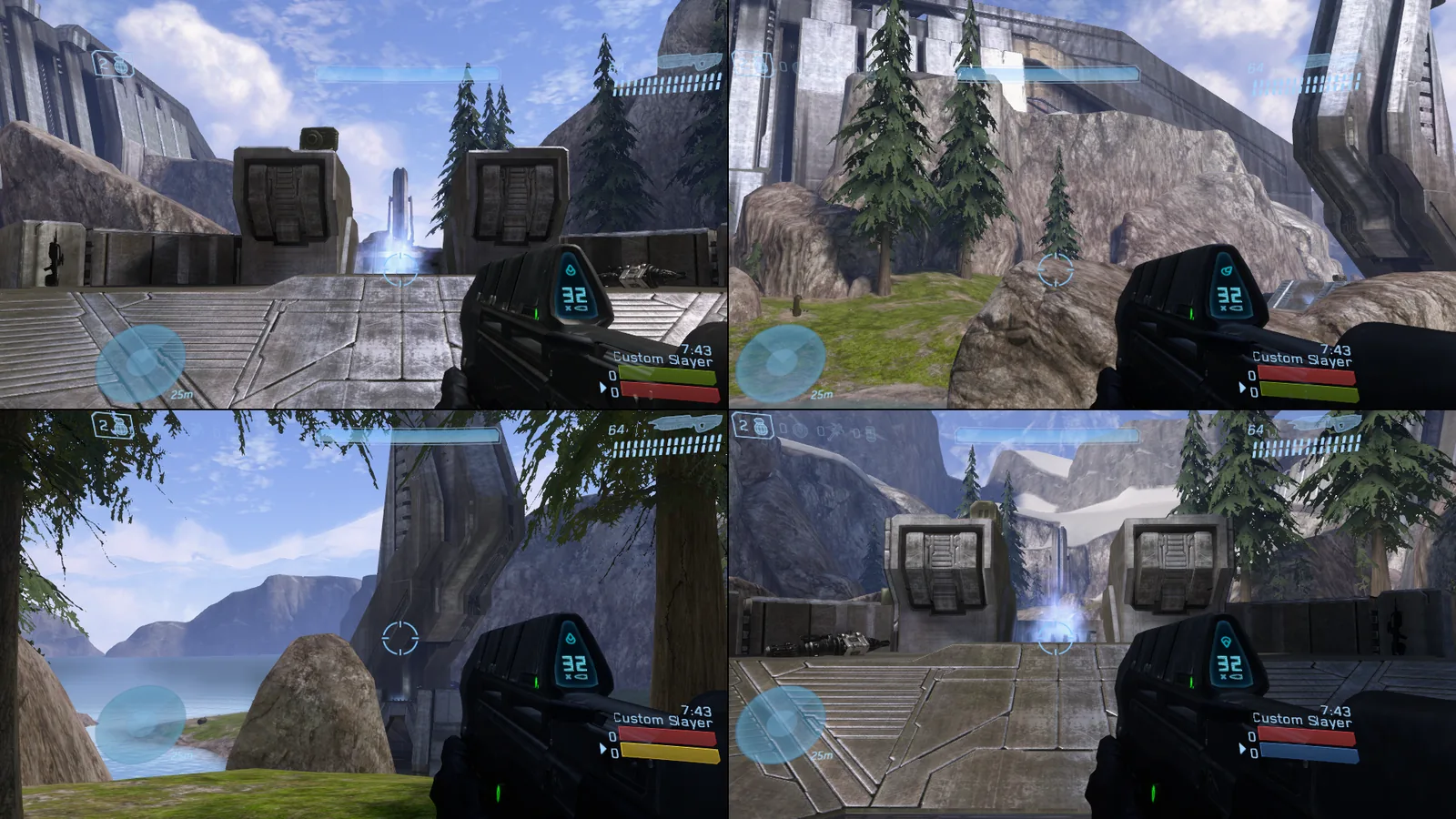
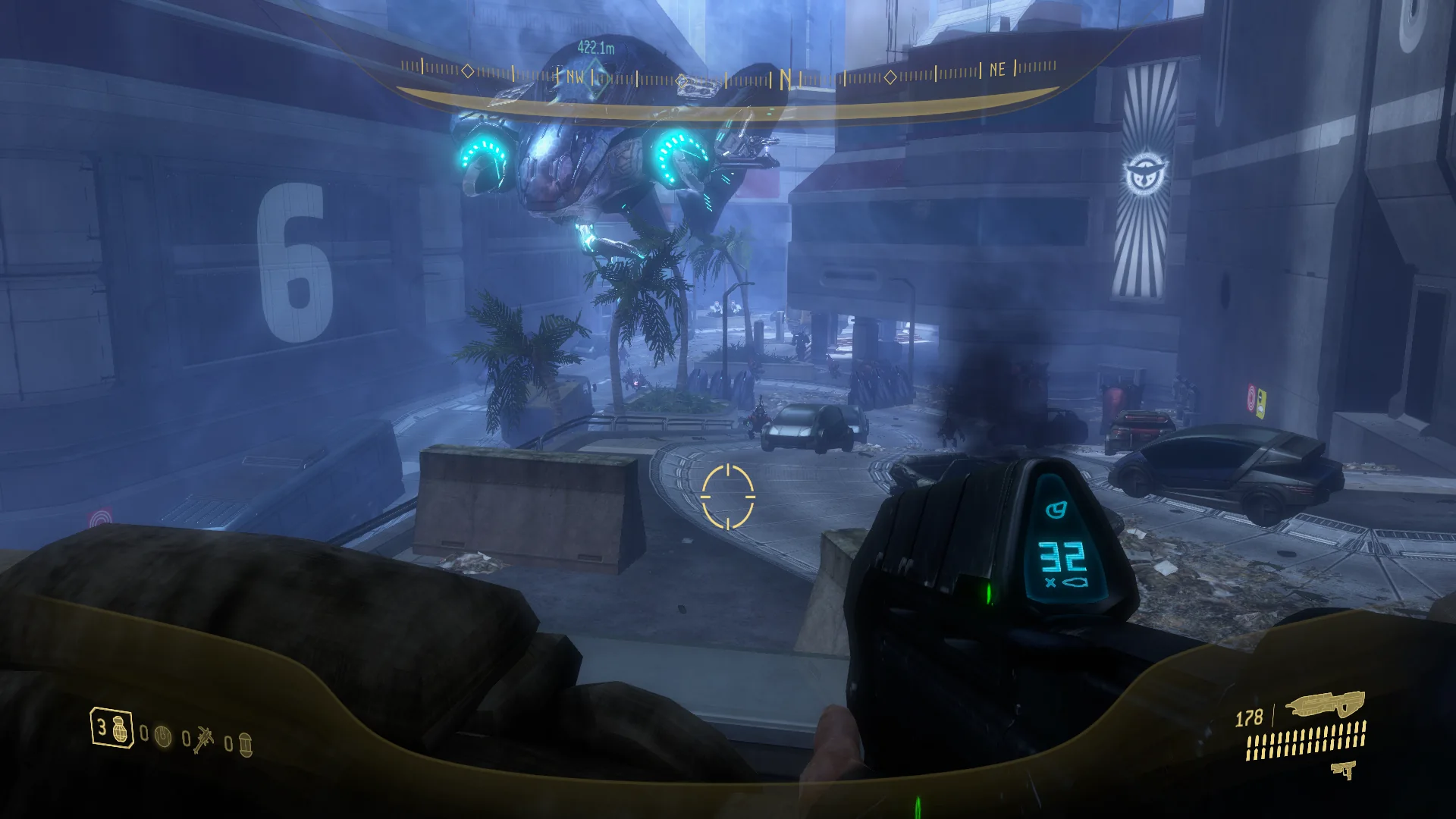
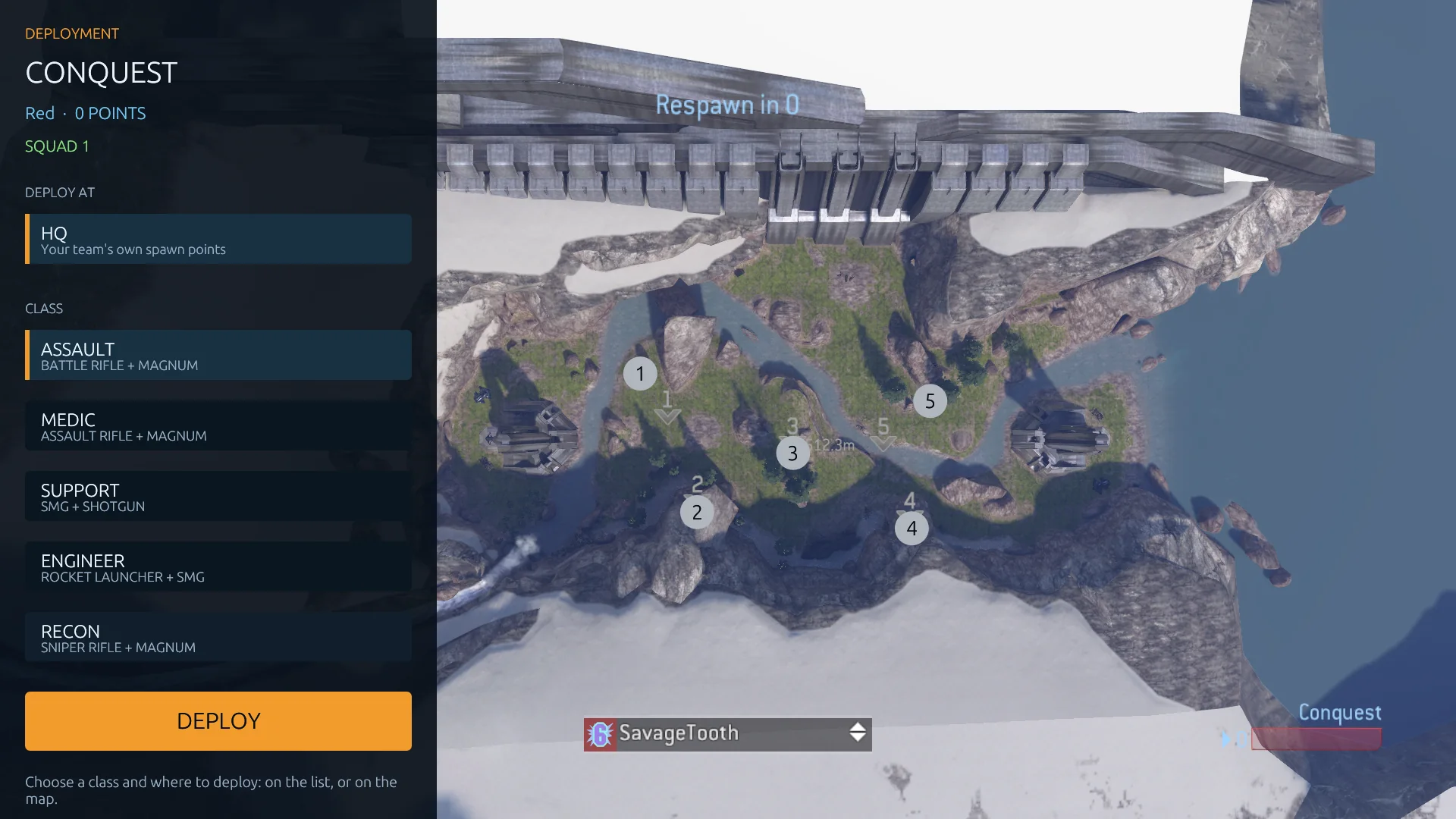
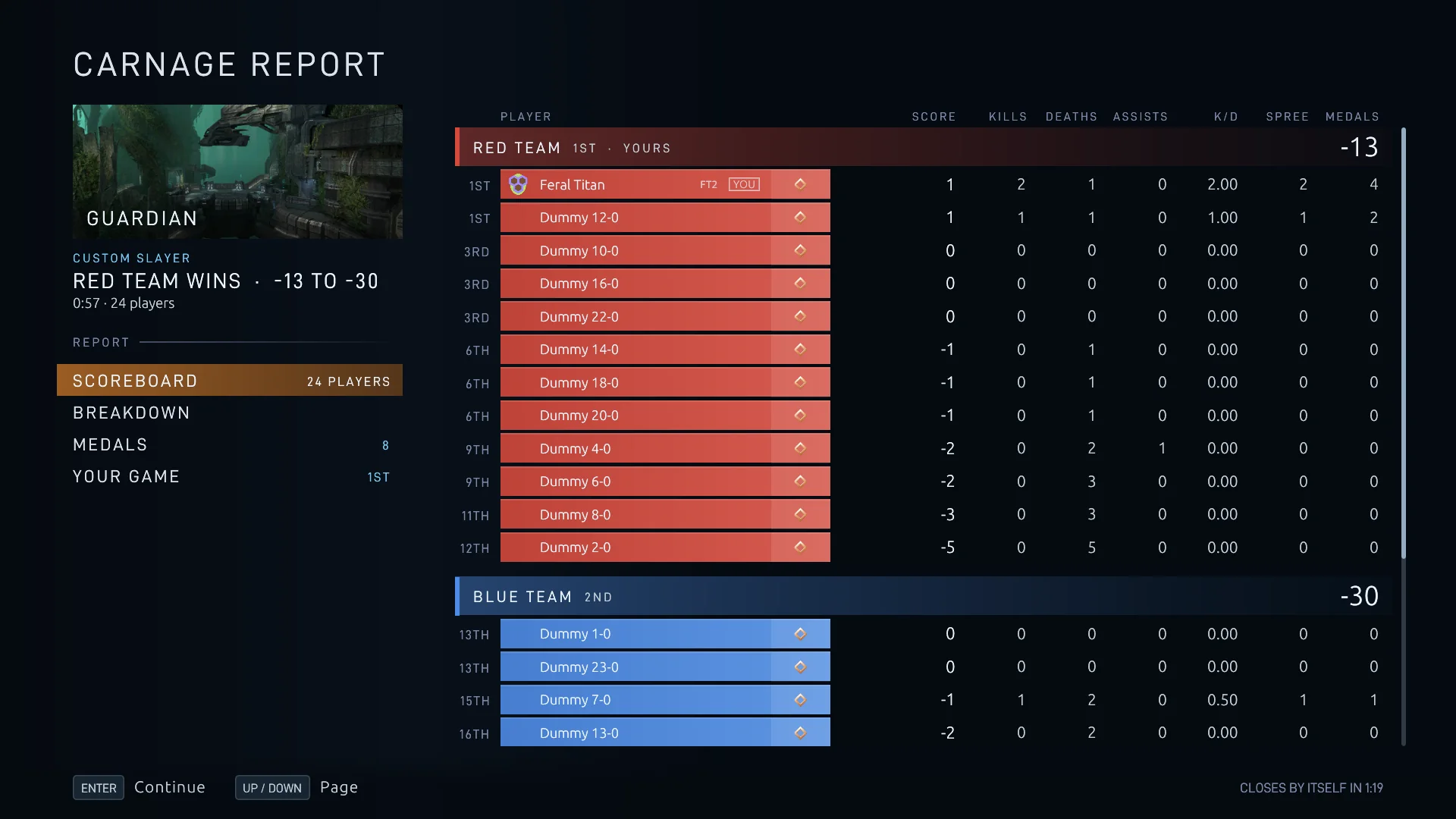
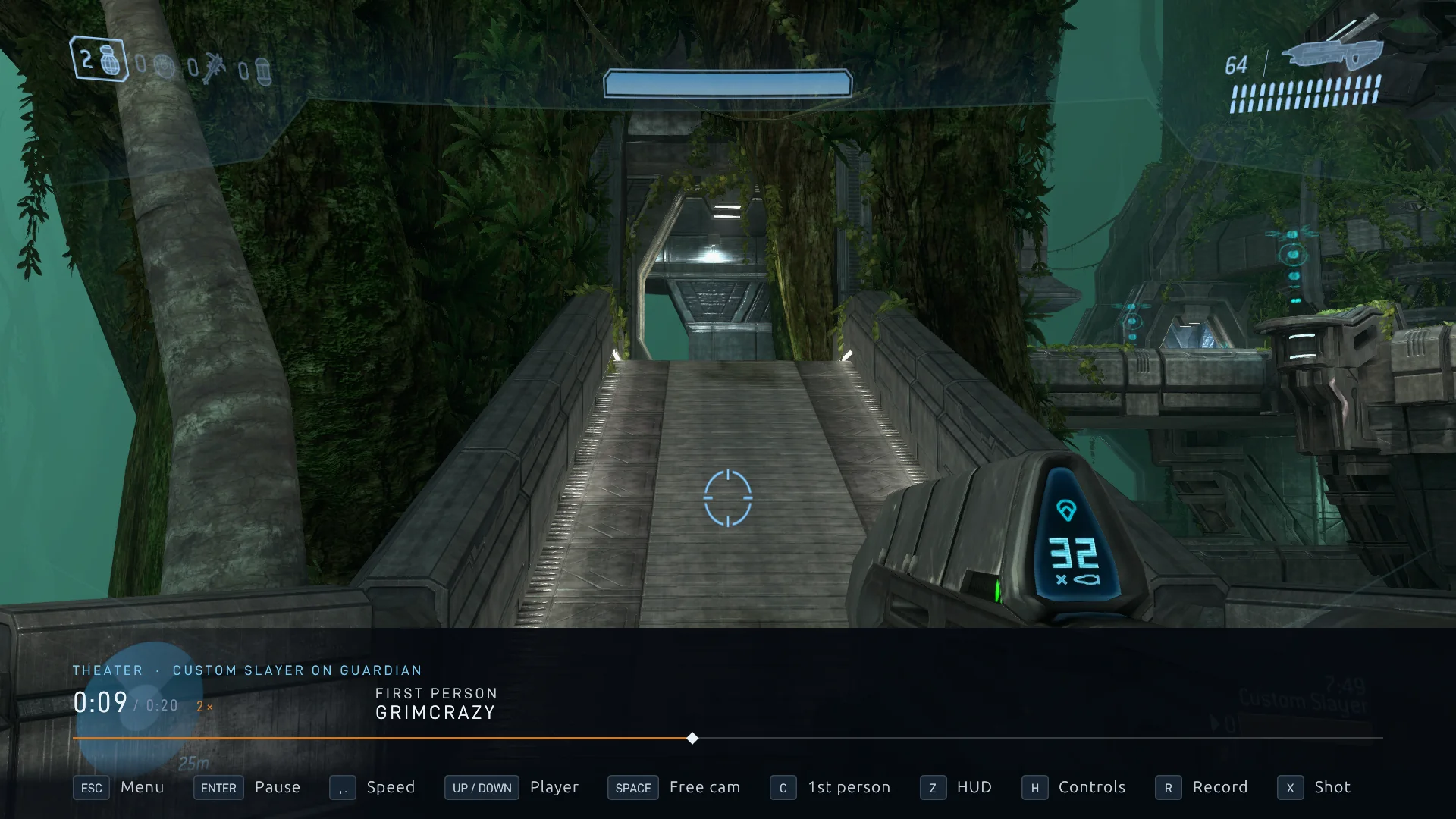
Four players on one PC, online together
Up to four players share one screen, each with their own controller or keyboard and mouse, their own view and their own HUD. Play together anywhere: host a game, join any server, dedicated servers included, or play the campaign in co-op.
-
Online as a group
Everyone at your PC joins a server together, in one go. The server browser only lets your group join a server with a place for each of you, and says Room for 2 when there isn't.
-
A controller, or a keyboard and mouse, each
Every player claims their own controller, or their own keyboard and mouse, with a single press, and can keep their own look speed, dead zones, mouse sensitivity and keys. Halo 3's own split screen splits the view two, three or four ways, two players top and bottom or side by side, and each view can get the shadows and detail one player gets.
-
Saved players
Friends who play on your PC keep their own name, player ID, armor and controls for next time, and steer the menus and Customize with their own controller. Their emblem, service tag and player ID tell players with the same name apart, and player 1 can play as any of them.
Every game's campaign, Firefight and campaign mods, solo or in co-op for up to 16
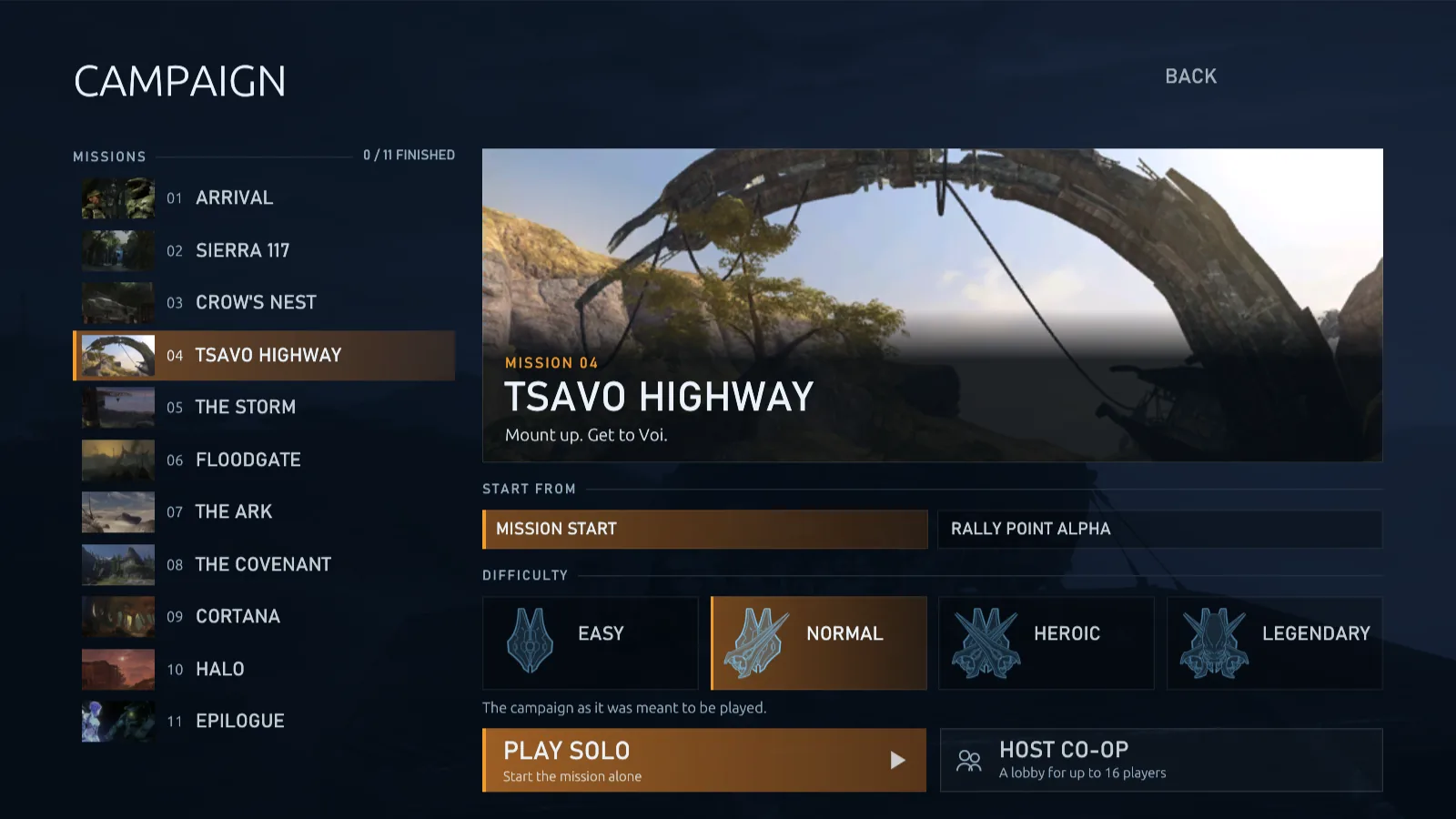
Play every mission from your installed games, Halo 3's, ODST's, Reach's, Combat Evolved's and Halo 2's, or a campaign mod from the Steam Workshop, as the Master Chief or as your own Spartan or Elite. Your progress and last checkpoint are saved, missions follow on, and co-op lobbies go past four players, on your PC or on a dedicated server.
-
Halo 3: ODST and Firefight
With ODST installed in MCC, its eleven missions join the Campaign page's campaign list, and the main menu's Firefight page has its ten maps and every Firefight game type MCC has. Play them solo or host co-op for up to 16 players, on your PC or a dedicated server, as one of Alpha-Nine or as the story's own characters, with your own keys and settings and split screen. ODST's campaign has its skulls and sprint, Firefight its own options for lives, skulls and player traits, and a co-op lobby switches between Halo 3 and ODST with its players kept. ODST runs on the same engine as Halo 3, so it starts without restarting the game.
-
Halo: Reach, Combat Evolved and Halo 2 Early
With them installed in MCC, their missions join the Campaign page's list, and Reach's ten Firefight maps join the Firefight page, solo or in co-op. Each plays by its own rules: Reach with its armor abilities and health, Combat Evolved with no health recharge and health packs. Combat Evolved's campaign plays from the first mission to the last. Reach's AI fights and every mission's opening plays, but some of its missions' scripts are still missing, and Halo 2's campaign is early.
-
Solo, with saved progress
Pick a mission, where it starts and a difficulty, and make the enemies tougher or weaker with campaign modifiers for their health and damage, which can grow with every player in co-op, turn on any of Halo 3's fourteen skulls, or let everyone sprint. Continue picks up from your last checkpoint, even after you close the game, and each mission shows the difficulties you've finished it on.
-
Co-op for up to 16 players
Host Co-op opens a lobby others join from the server browser: up to 16 players, with up to four in split screen on each PC. The host picks the mission, rally point and difficulty. Friends join mid-mission while everyone else plays on, unless the host keeps the mission to those who started it, and leave without stopping anyone. Dedicated servers run co-op lobbies too, starting when enough players are in. Campaign on a server.
-
Your own Spartan or Elite
Choose Your characters to play the missions as the character you made in Customize, in your own armor, colors and emblem, or as a character mod's character. In co-op, everyone plays as their own, and your unlocked helmet fire shows in the campaign too.
-
Campaign mods
Campaigns made with MCC's mod tools, from the Steam Workshop or your Mods folder, join Halo 3's in the Campaign page's campaign list, each with its art and how many of its missions you've finished. Co-op players who don't have the mod download it as they join.
Server browser, dedicated servers, moderation and anti-cheat
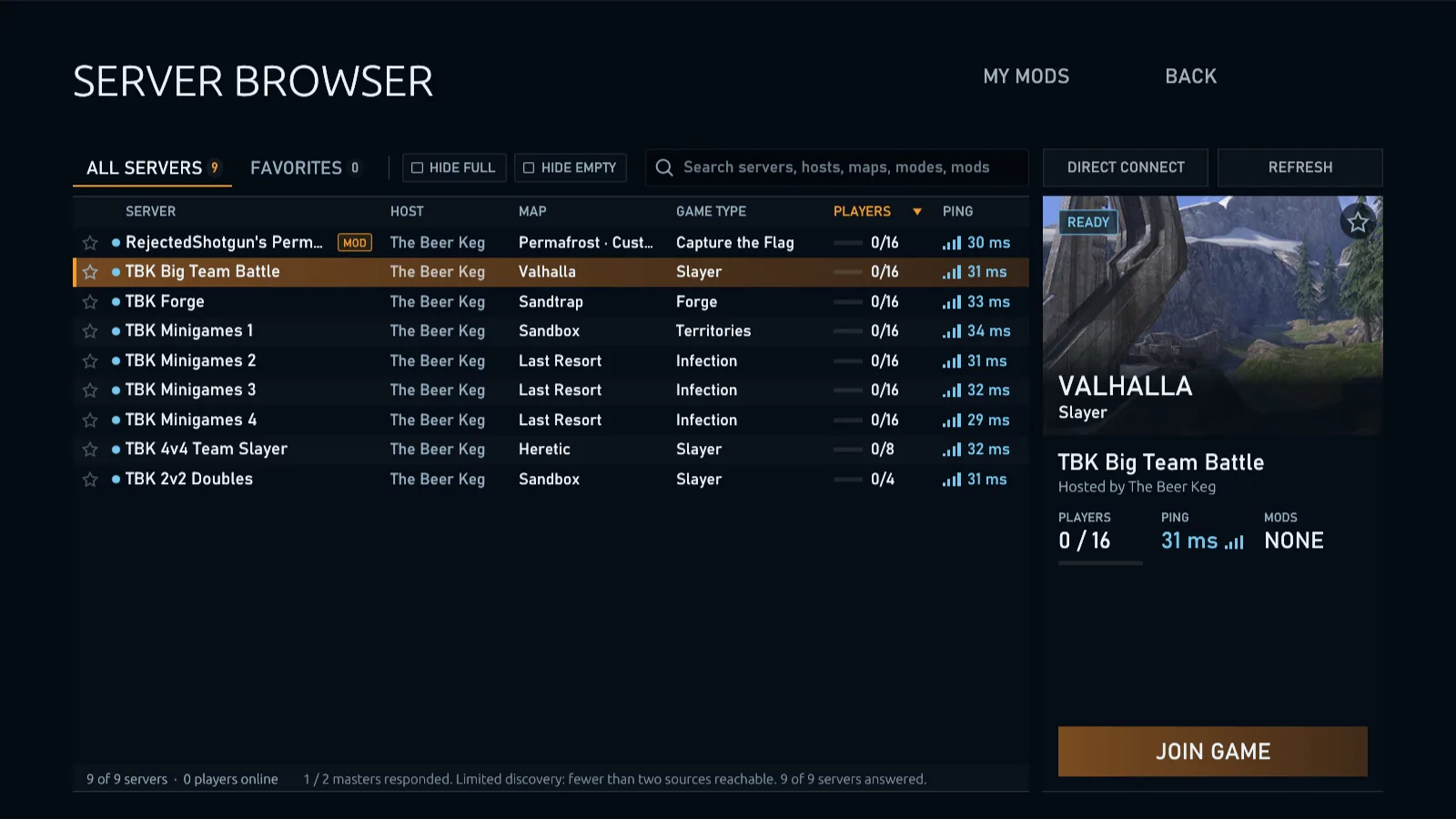
Find a game in the server browser or run your own. Servers are run by the community and hold up to 127 players; a game you host holds 128.
-
Server browser
Finds community servers on its own and asks each one what it's playing, so the map and game type, players and ping you see are live. Compact rows show their names in full, with icons for mods and passwords and a card for the one you pick that lists who's playing, search by server or player name, a strip for multiplayer, Forge or campaign servers, filters for full, empty, private, modded, VPN-blocking or distant servers and servers on another version, favorites and direct connect. Open it from the game menu to switch servers without leaving first.
-
Dedicated servers
Run any number of servers from one folder and one config file, each with its own playlist, map, custom game or campaign mission, a password and a ping limit if you want them. They run natively on Windows, Linux and macOS, or in Docker with a container for each server. Servers install the Workshop mods their playlists name and keep them up to date, report to two master servers, fall back to backup masters if both go down, and anyone can run a master of their own. When a server's router was never set up for hosting, the masters can often introduce players so the two sides punch through to each other.
-
Anti-cheat and bans that stick
Servers and hosted games have anti-cheat protection on by default, with enforcement controls for hosts. Kicks and bans cover the player ID and the address, and on Windows the PC, so a new profile doesn't get around them, and dedicated servers turn away players on VPNs and proxies.
-
Server management
Admins, and hosts in their own games, kick and ban from the scoreboard, a player's card or chat, by player, address or range, for good or for a time; repeated kicks last longer. Moderation tools, Discord bots and the RCON desktop client connect through a password-protected remote console that changes the map and mode, moves players between teams, runs votes, and streams chat, kills and players' health live. Players change teams themselves from the lobby or the game menu, as far as the game type and the server allow. Without an admin, players vote to kick, shuffle uneven teams, end the round or end the game, and on big servers a kick needs fewer than half the players. Hosts can keep voice to teams, for every game or for single games in a playlist, and turn off friendly fire so teammates and co-op partners can't hurt each other.
Forge with 9,999 objects, building blocks, ElDewrito's tools, every map's objects and AI
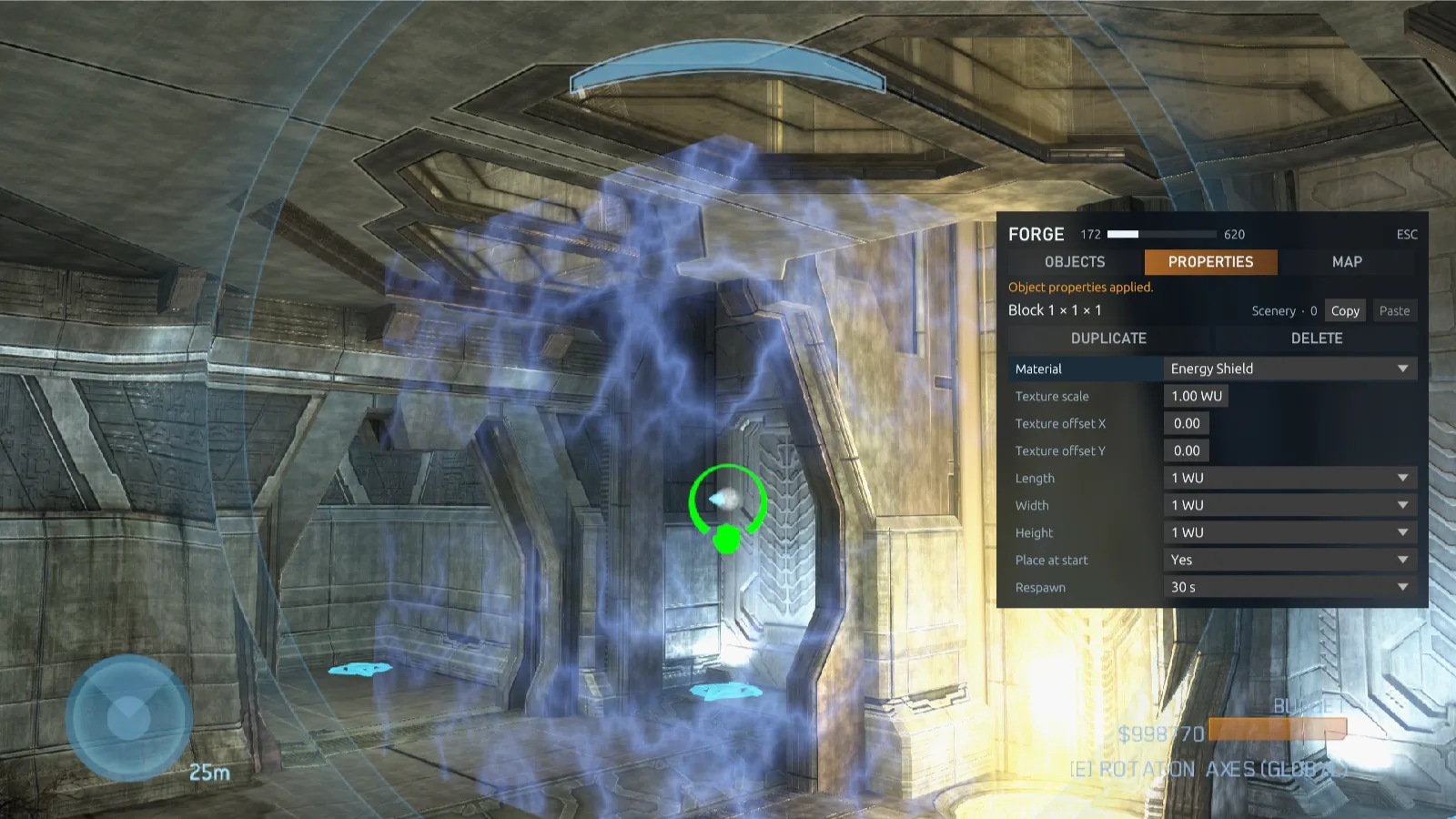
Halo 3's Forge with room for 9,999 objects on a map, building blocks in six shapes, every size, any material and any color, AI to fight, empty campaign areas to build on, a new menu, any map's sky, objects you can push up to 100 units away with the mouse wheel or move to coordinates you type, a monitor with eight speeds that you can also teleport, and ElDewrito's controls, selection, prefabs, magnets and undo. Build alone or with friends, then host your map on any server.
-
Six shapes in every size, any material and color
1,049 pieces: blocks, cylinders, triangles, equilateral triangles, hemispheres and half cylinders, from a quarter of a world unit to 16 along each side, and in ElDewrito's reforge sizes too. Place them at any angle, even in mid-air, resize them where they stand, and give them any of 193 surfaces from other maps, picked by picture, with the texture scaled to fit, in any color you pick.
-
Passthrough and team barriers
Choose whether players, vehicles and projectiles pass through each wall or block: secret doors, shield walls that vehicles drive through, fences you can shoot through, and doors only one team walks through.
-
ElDewrito's tools and maps
ElDewrito 0.6's controls: Space grabs, right mouse turns, left mouse selects objects to carry, copy or edit together. Lay out copies in rows, save prefabs, snap pieces flush with magnets, undo with Ctrl+Z and reset destroyed objects. ElDewrito Forge maps and game variants put in your Maps or Game Modes folder turn into maps and game types of your own.
-
Lights, looks and working doors
Place point and spot lights in 24 colours, screen effects that tint the view inside them, and the multiplayer maps' gates and doors with switches that open them. Set a map's gravity, look, exposure and fog, and choose which game types each object appears in.
-
Every map's objects and skies, no boundaries
Place vehicles, weapons and scenery from every installed map, even the campaign's dropships and walker, and put another map's sky over the one you build on. Forge works on every installed game's maps, each with its own objects, and a host can add the other games' objects to any map. Or build on a campaign canvas: an area of a campaign mission, emptied of its objects and AI. Add kill and garbage volumes, and switch off a map's invisible walls and Guardians.
-
AI
Place Spartans, Elites, Marines, Grunts, Jackals, Brutes, Hunters and Flood that fight players and each other, on dedicated servers too. Set each one's team, targets, weapon, respawn time and whether it moves.
A whole editing kit for modders
One program that does what Tool, Guerilla and Sapien do for Halo 3, laid out like Blender, as an app of its own that needs only MCC. Edit a map while it runs, press F5 to play it, and compile it into a mod. Friends download a small recipe, and their game makes the map from their own files.
-
Edit it live
Place, move and restyle anything on the running map, with full undo, and press F5 to play it.
-
All of Forge, and more
Forge's whole palette, properties, materials and volumes, plus the map's own placements, lights, decals, decorators and atmosphere.
-
Tags, assets and scripts
Every tag in the map, with live edits. Swap textures and sounds, export models and animations, and edit and compile HaloScript, with a live console. Point the Kit at your own Editing Kit tags folder for named fields.
-
Share in kilobytes
A hosted map goes as a recipe of a few KB, and every player's game makes the identical map.
-
Checked on every multiplayer map
All 27 were opened, edited, compiled, hosted and joined. Campaign editing is partial.
Scripted game modes, and the tools to make your own
Seven modes come with the game, including Conquest, with squads, tickets and a deployment map. Each is one text file you can change, or use as the start of a mode of your own, written in the Megalo language, and only the host needs it.
-
Seven modes included
Gun Game climbs all 24 of Halo 3's weapons, from the Spartan Laser to the Energy Sword, and a melee kill from behind sets the victim back one. Growth starts everyone at a tenth of their size and grows you by the size of each player you kill. One in the Chamber gives you a single bullet that kills, and one more for each kill. Zone Control scores whoever holds the hill alone. Flood Infection pits survivors against players in campaign Flood bodies. UNSC vs Covenant vs Flood has 41 classes across three factions: earn points for stronger ones while each side spends limited reinforcements. Conquest is a battle over the map's territories, in squads, with five classes. Find them all on the game type picker's Megalo card.
-
One file, nothing to compile
A mode is one
.rmegtext file: a header with its rules, classes and options, then the script. Drop it in your Game Modes folder and it plays. Write your first mode. -
Way more Megalo
Write in the Megalo language ReachVariantTool uses, with Halo 3's own extensions. Scripts hear damage and deaths, name any object on the map by its tag path, and control waypoints, sounds, damage rules, revives where you fell, squads and deploy points and armor and colors. Turn players into any character, from the Arbiter to Sentinels and jump-pack Brutes, split them into up to 64 teams, draw your own HUD and clickable menus, and give classes abilities on the players' own keys. The Megalo guide is a tutorial and a full reference, with example modes to download.
-
Every game's own game types
With Reach installed, its 418 multiplayer game variants play through Megalo, on Reach's maps or any other. Combat Evolved's and Halo 2's maps play their own game types, by their own rules.
-
Runs on the host
Players just join: the script runs on the host, in lobbies, playlists and on dedicated servers alike. Scripts can only change gameplay, never reach files, the network or your PC.
--[=[ mode
name = "Grunts"
]=]
for each player do
  if current_player.is_not_respawning()
  and current_player.object[0] != current_player.biped then
    global.object[0] = current_player.biped
    global.object[1] = current_player.biped.place_at_me(
      grunt, "player_body", none, 0, 0, 0, none)
    current_player.set_biped(global.object[1])
    global.object[0].delete()
    current_player.object[0] = current_player.biped
  end
end
Playlists with lobby voting
Build a rotation of maps and game types, mod maps included. Between games, players pick the next one from three drawn at random, or reroll with None of the above.
-
Playlist editor
Pick a map and a game type from what you have installed, mod maps, Halo 3's matchmaking variants and your own MCC saves too, and give each game a weight to bring it up more often. The editor flags anything missing or repeated before you use it.
-
Every game option
Change a game type's rules, including each objective mode's own, such as King of the Hill's moving hill, rounds, respawns, equipment and player traits, for everyone or for each role, starting weapons that are random at every spawn, player size from 25% to 300%, and sprint, unlimited or with stamina.
-
Shareable files
Playlists, maps and game types are small files that carry their author's name, which the loading screen shows. Send them to a friend or drop them on a dedicated server.
Mods, downloaded as you join
Servers list the mods their games use. Join one with mods you don't have and the game downloads them, through Steam Workshop or, once you say yes, from the server itself, checks every file against the server's and joins by itself.
-
Play as a mod's characters
Character mods add characters with their own body, armor, colors and physics, playing with every weapon, vehicle and animation, in third person when they're made for it and the server allows it. Put yours in order in Customize; a server shows you as the first one it has, shares its characters with players who don't have them, and can require them or leave out Halo 3's own. One game can take characters from up to 128 character packs, and each release includes the customization editor, which sets a mod's armor, colors and camera for each character.
-
Mods in the server browser
Modded servers are tagged with how many mods they use: blue when you have them all, gold when what you're missing can be downloaded, red when it can't. Turn mods off in Settings without deleting them.
-
Download & Join
See exactly how much each mod needs to download, then its progress, speed and time left. Maps come in checked chunks from several servers at once, a mod downloads once, and a cut-off download resumes.
-
Steam Workshop or your server
Workshop mods download through Steam, with nothing for the host to set up, and with Prefer Steam Workshop on you're subscribed to them so Steam keeps them up to date. For the rest, turn on Share mod files in your lobby, or
share_modson a dedicated server: mods travel over the game's own encrypted port, with an upload limit you set. -
Mod objects in Forge
Choose a mod's objects for a game and they join the Forge menu next to every other map's, marked with the mod they come from. Forge on a mod map, large Workshop maps included, has the building blocks and kill and garbage volumes too. Mod objects.
Mods for players →Character mods →Share mods from a server →
Chat, voice, customization and stats
Project Reclaimer is a game of its own, with its own menus. You don't go through MCC's menus or matchmaking.
Switch servers
Open the server browser from the game menu, pick another server and switch without leaving first. Mods it needs download while you keep playing.
Theater
Every game you play, multiplayer, Forge or campaign, solo or co-op, Halo 3: ODST's campaign and Firefight included, is recorded as a film. Open Theater on the main menu to watch your latest 25 games again: pause, jump along the timeline, play from ¼× to 4×, and follow any player in first or third person or fly a free camera. Save the films you want to keep, take screenshots, and save a film as an MP4 video with its sound, whole or just what you record while you watch. A film gets its map the way joining a game does and names any mods it needs.
Voice and text chat
Hold or toggle to talk in lobbies and games, V to everyone, B to your team or, during a game, N to the players around you, whose voices fade with distance. Choose your microphone, mute players, and set voice, each channel's volume and the game's apart. Set each player from 0% to 200% in player details or the scoreboard's side panel; your choices are saved locally. Friendly name tags show a speaker while that player talks, and the voice indicator shows each talker's emblem on their color. Text chat to everyone, your team or the players near you, even on the loading screen, with names in their team's or armor's color, scroll-back through the last 100 lines and copy and paste. Either can be switched off in Settings, and a filter masks slurs, profanity or words of your own in chat and player names on your screen, as you choose.
Customization
Your character stands center stage in the game's own scene, in the stance you pick: point at armor, a color or an emblem to try it on, the camera closes in on the piece you're choosing, and a controller's right stick turns your character. Armor, visor, armor lights and emblems come in any color, not just Halo 3's thirty, and everyone in the game sees what you wear, in the campaign too. Character mods add characters of their own, with their own armor and colors, and for Halo 3: ODST you pick which of Alpha-Nine you are, helmet on or off, and see your trooper on the same stage. A dice beside each heading rolls a new look, armor, colors or emblem, and a right-click undoes it; new players start with a random look and a two-word name. Unlocked cosmetics, such as normal or blue helmet fire, are equipped in Customize; hosts check them with the stats service and never kick anyone over customization.
Stats and ranks Work in progress
Halo 3's rank insignia on lobby cards, the scoreboard and the carnage report. Click a player for their EXP, skill, service record, medals, weapons and recent games. Dedicated servers report their games to the project's public stats service.
Scoreboard and carnage report
Every player's emblem, service tag, rank, score, kills, deaths, assists and ping to the server, Halo 3's dead icon for who is waiting to respawn, Infection's survivors and infected as two sides, and up to two full-size columns with independently scrolling teams. Team headings stay visible and show their player count. Each row opens a side panel with details, voice volume, mute and the moderation actions you can use. When the game ends, a full carnage report with a page of your own: medals, favourite weapon, nemesis and stats for each weapon. Reopen it from the lobby.
PC settings
Exclusive fullscreen by default, or borderless or windowed, with live confirmation, HDR, field of view 55–120° on foot, in vehicles and in third person, with the weapon following it if you like, the crosshair centered and sized from 25 to 200 %, each weapon placed where you like it, as much sprint sway as you want, distant players' names faded out, the helmet visor frame or the whole HUD hidden if you want, UI width for wide screens, render resolution up to 3840×2160, detail from Low to Ultra with 16× texture filtering, bloom and optional ambient occlusion, your frame rate and the server's tick rate over the game if you want them, an Auto frame limit that follows your display, any limit of your own from 30 to 1000, or none, VSync, raw mouse input or optional aim acceleration, inverted mouse look, toggle crouch, a key to lower your weapon, a key to switch between first and third person where the server lets you, every key rebindable and kept in its place on AZERTY, QWERTZ and other layouts, Halo 3's text and voices in your language with subtitles, the graphics card you choose, and Halo 3's and ODST's menu music in the order you like. Press / in Settings to find any setting. The HUD keeps its shape on ultrawide, 16:10 and 4:3 displays.
Controller support
Xbox controllers on Windows, Xbox, PlayStation, Switch Pro and other game controllers on macOS, and any controller your system sees on Linux. Every button layout MCC has for Halo 3 and layouts of your own, stick layouts, Classic or Modern aiming, separate horizontal and vertical sensitivity, dead zones you can see, adjustable aim acceleration, toggle crouch and vibration. Every menu works with the D-pad, and an on-screen keyboard opens on any text field. The game follows whichever you touched last.
Friends, parties and Discord
Add friends by their code or from the players you've met, see where they're playing, invite them, block anyone, and take a party from server to server together. Your Discord status shows the game type, map and server you're on. On a public server, friends get a Join game button that starts the game and brings them to you.
Updates from the menu
The main menu says when a new version is out. Update & restart downloads it, checks it against the release's checksums, puts it in place and starts it, keeping your settings, maps and mods.
Credit for creators
The loading screen shows the map and the game type, what each is about and who made them, taken from the content itself.
No account, and files you can find
Your profile is a nickname and a key stored on your PC: no email, password or sign-up. It and your settings, campaign progress, saved maps, game types, films, mods, playlists and logs live in one player folder, easy to back up and share, with the logs of the last 10 crashes kept for bug reports. The caches and downloaded mods can go on any drive. Where it is.
A dedicated server in three commands
Create a server folder from your own game install, set names, ports and playlists in dedicated.toml, check it and start. Each server restarts itself if it stops.
- Windows 10, 11 or Server 2019+, Linux (x86-64 or ARM64) and macOS natively, or Docker on x86-64 Linux.
- Maps, game types and mods in one content folder shared by every server. Edit the settings or playlists while servers run: they check the change and take it up, with players staying connected.
- One ban list and one admin list for every server on the machine, anti-cheat and VPN blocking on from the start, and a remote console (RCON) for moderation tools, bots and the RCON desktop client.
# In the folder with project-reclaimer.exe, make a server folder
> .\project-reclaimer.exe dedicated init . --from "C:\Program Files (x86)\Steam\steamapps\common\Halo The Master Chief Collection"

# Edit dedicated.toml, then check files, config and ports
> .\project-reclaimer.exe dedicated check

# Start every server
> .\project-reclaimer.exe dedicatedWhat you need
Project Reclaimer includes no game files and no game code. It plays from your own copy of Halo: The Master Chief Collection, which it only reads and never changes.
To play
- Windows 10 or 11 (64-bit) with Direct3D 11, macOS 11 or later on Apple silicon, or Linux on x86-64 or ARM64 with glibc 2.36 or later and Vulkan 1.3.
- Your own copy of Halo: The Master Chief Collection with Halo 3 installed, campaign included, and Halo 3: ODST, Halo: Reach, Halo: Combat Evolved or Halo 2 for each of them you want to play.
- On Linux, Steam installs MCC through Proton and the game finds it. On a Mac, Steam can't install MCC: copy the folder from a PC where Steam installed it.
- About 1 GB of free disk space to start with. Install guide.
To host a dedicated server
- Windows 10, 11 or Server 2019+ (64-bit), Linux x86-64 or ARM64 with glibc 2.36 or later, macOS 11 or later, or Docker on x86-64 Linux. No display or graphics card needed.
- Your own copy of the game, to copy the server's files from.
- One UDP port per server, plus port 49175 on TCP and UDP for its master.
Common questions
Is this an official product?
No. Project Reclaimer is an independent fan project. It is not affiliated with, endorsed, sponsored or approved by Microsoft, Xbox Game Studios, Halo Studios, 343 Industries, Bungie or Activision.
Can I download it yet?
Yes. The download page has the newest build for Windows, macOS and Linux, dedicated server included. It's still in development, so expect bugs.
Does it run natively on Mac and Linux?
Yes. Since 0.10 the game runs natively on macOS, on Apple silicon, and on Linux, on x86-64 and ARM64, with no Wine, Proton or CrossOver for the game itself. You still need the game's files: on Linux, Steam installs MCC through Proton and the game finds it; on a Mac, Steam can't install MCC, so copy its folder from a PC. See Windows, macOS and Linux.
Which Halo games does it play?
Halo 3 and Halo 3: ODST, natively. Since 0.10 it also plays Halo: Reach, Halo: Combat Evolved and Halo 2, in an early form: their multiplayer maps and game types, Reach's and Combat Evolved's campaigns, and Halo 2's in its first steps. All of them share one engine. See the games.
Is it open source?
Not yet, but that's the goal. The builds are public, but the code stays private while the project is in development, and the plan is to eventually release it as open source. There's no date yet.
Is this a faithful restoration of classic Halo 3?
No. Project Reclaimer is meant to be the ultimate way to play Halo 3 multiplayer, not a faithful restoration of the original. It starts from Halo 3 and changes or adds whatever makes it better to play today: dedicated servers, lobby voting, 128-player games, sprint, a Forge without the old limits, mods and PC settings.
How many players can play in one game?
Up to 128 in a multiplayer game you host, and up to 127 on a dedicated server, which takes the 128th place itself: two teams of 64, or a free-for-all for everyone. Split-screen players count toward the limit. Campaign co-op holds up to 16. Everyone in the game needs the same version; the game says who needs to update. See 128-player games.
Do I need to own the game?
Yes. Every player and every server host needs their own copy of Halo: The Master Chief Collection with Halo 3 installed; players need both Halo 3 Campaign and Halo 3 Multiplayer. Halo 3: ODST is optional: install it in MCC too to play its campaign and Firefight. Project Reclaimer contains no game files or game code and cannot be used without them.
Does it change my game installation?
No. It only reads your installed files. Your profile, settings, saved maps, game types, mods and playlists live in your player folder: %LOCALAPPDATA%\ProjectReclaimer on Windows, ~/Library/Application Support/ProjectReclaimer on macOS and ~/.local/share/ProjectReclaimer on Linux. It also keeps a copy of the two game files it translates there, and the caches it rebuilds in its Cache folder.
Does it cost anything?
No. Project Reclaimer is free and non-commercial.
How do I update Project Reclaimer?
The main menu shows when a new release is out: choose Update, then Update & restart. An installation of 0.9 offers 0.10 the same way, and players and servers should update together. See updates and coming from 0.9.
What does it do against cheaters?
Dedicated servers and hosted games have anti-cheat protection on by default. Hosts control enforcement and can adjust it for custom games. Kicks and bans cover a player's ID and address, and on Windows their PC, repeated kicks last longer, and dedicated servers turn away players on VPNs and proxies so banned players can't simply come back. See kicks, bans and anti-cheat and hosting.
What happens when the game gets an update?
Nothing stops. The first start keeps a copy of the files the engine is translated from, so a Steam update doesn't stop you playing or hosting. The one exception is a first start after an MCC update changed those files: that needs a Project Reclaimer release made for them, and the game says so. See when MCC updates.
Can I play the campaign?
Yes. Choose Campaign in the main menu to play Halo 3's missions alone, with your progress saved, or host a co-op lobby for up to 16 players that others join from the server browser, even mid-mission. Play as the Master Chief and the Arbiter, or as your own Spartans and Elites. Campaign mods from the Steam Workshop are listed beside Halo 3's in the Campaign page's campaign list, and with Halo 3: ODST installed in MCC, so is ODST's campaign, with its Firefight on a page of its own, solo or in co-op for up to 16. See Campaign and Halo 3: ODST. Matchmaking isn't part of Project Reclaimer: multiplayer is custom games, playlists and Forge on community servers.
Can I play in my language?
Yes, in the game itself. Settings → Language sets Halo 3's text to any of its eleven languages and the voices to any of the six your MCC installation has, with subtitles on, off or automatic. The menus stay in English. See Language.
Can I make my own game modes?
Yes. A game mode is one .rmeg text file in the Megalo language ReachVariantTool uses, with Halo 3's extensions: a header for its game type, rules and classes, then a script. It can play over Slayer, Territories or any other game type. The seven modes that come with the game are examples to change. See Game modes and Megalo scripts.
Follow the project on Discord
Project Reclaimer is still in development. Join the Discord to follow the work, report problems, talk with the people building it and hear about new releases first.